

Email Marketing Database: How to Use Inspiration to Build Better Campaigns
Stop staring at a blank canvas. The world's best marketers study what already works — and you should too. Here's how to mine email inspiration databases to design smarter, convert higher, and ship faster.


1. What Is an Email Marketing Database?
An email marketing database — in the context of design inspiration — is a curated, searchable archive of real marketing emails sent by brands across industries. Think of it like a massive public library of live campaigns: welcome sequences, abandoned cart nudges, flash sale announcements, product launches, transactional confirmations, re-engagement flows, and everything in between.
These databases are distinct from your subscriber list or CRM contacts. They are visual and copy repositories that allow marketers, designers, and developers to study what top brands are actually sending to inboxes around the world — right now, or over time.
The two most prominent players in this space are Milled (a search engine for email newsletters) and Really Good Emails (a community-curated showcase of exceptional email design). We'll explore both in depth. But first — why does studying them matter so much?
2. Why Building Great Emails From Scratch Is So Hard
Ask any email marketer — even a seasoned one — and they'll admit the same thing: starting from a blank template is one of the most paralyzing experiences in digital marketing. It looks deceptively simple. It's just a rectangle, right? Some text, a button, maybe an image. How hard could it be?
The answer: very.
2.1 The Technical Complexity Nobody Warns You About
Email HTML is a time capsule. While the rest of the web has evolved to use modern CSS Grid, Flexbox, and CSS custom properties, email clients — particularly Microsoft Outlook — still partially rely on a rendering engine that predates these technologies. This means most email templates are still built using HTML tables, inline styles, and workarounds that would make a frontend developer shudder.
Every email client (Gmail, Apple Mail, Outlook, Yahoo, Samsung Mail, and dozens of others) renders HTML differently. What looks stunning on Apple Mail can fall apart completely in Outlook 2019. Getting consistent rendering across clients is a specialized skill that takes years to master — and one that most generalist marketers simply don't have.
2.2 The Design Decisions Are Overwhelming
Even setting aside the technical hurdles, the design decisions compound quickly. Which color palette communicates urgency without triggering spam filters? How much white space is too much — or too little? Should you use a single-column or multi-column layout? Where should the CTA button sit relative to the hero image? What font size is readable across mobile devices?
Each micro-decision shapes the email's ability to convert, and without a reference point — without examples of what works — it's easy to second-guess yourself into mediocrity.
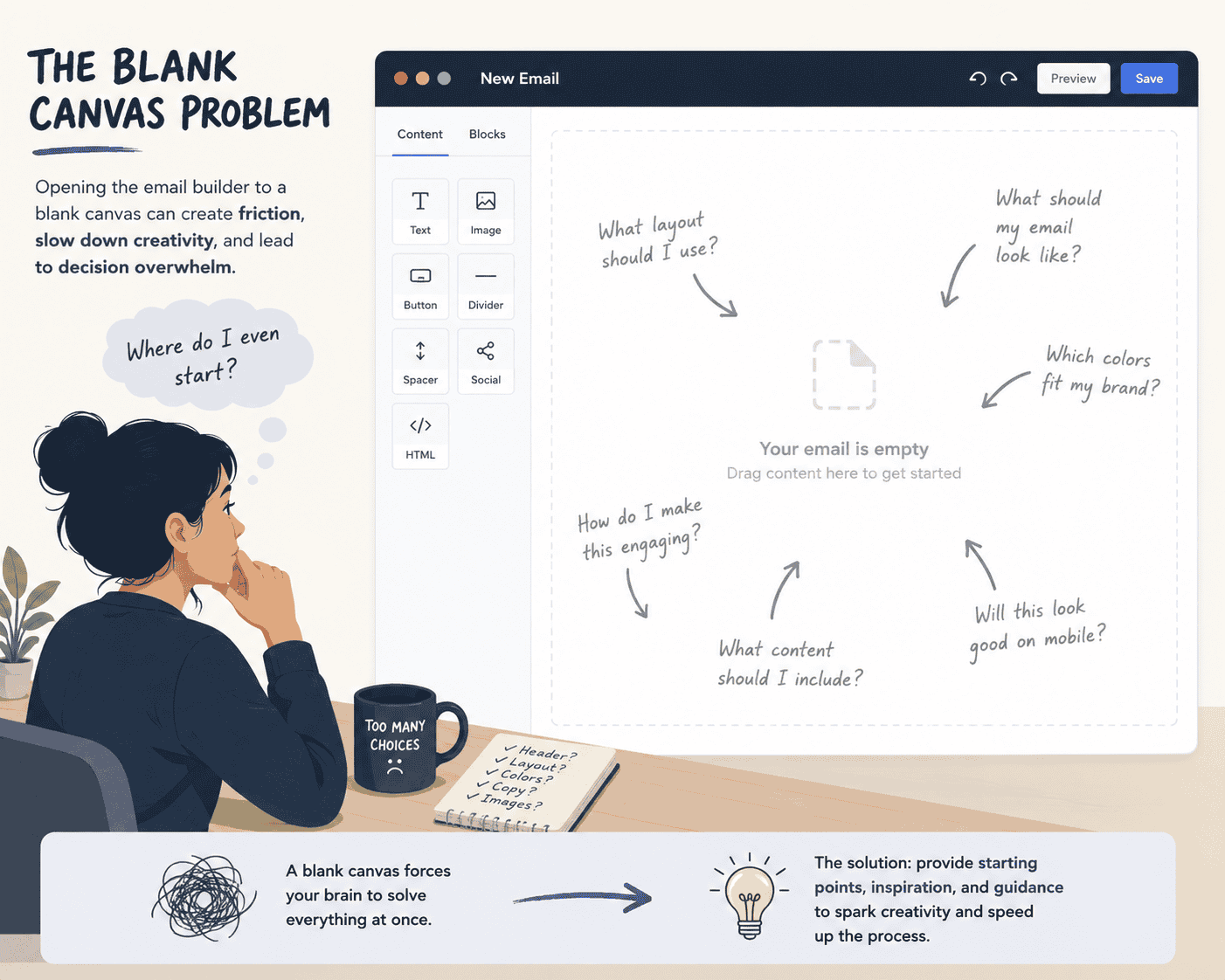
2.3 The Blank Canvas Problem
Cognitive science has a name for this: the blank canvas problem. Research consistently shows that creative professionals produce better work when they start from a reference, constraint, or example rather than from nothing. Complete creative freedom isn't liberating — it's cognitively exhausting. That's why architects study buildings before designing them, musicians transcribe songs before composing, and filmmakers watch hundreds of films before picking up a camera.
Email marketers are no different. The most productive and skilled practitioners aren't the ones who reinvent every campaign. They're the ones who know what's been done, what's worked, and how to iterate intelligently from proven examples.
of small business owners cite "lack of time" as the reason they delay marketing tasks
of emails are opened on mobile devices — making responsive design non-negotiable
average ROI for every $1 spent on email marketing among top-performing brands
higher conversion rate generated by mobile-optimized emails vs non-optimized
Building from scratch doesn't just slow you down — it statistically produces worse results. Without knowing what benchmarks look like, you can't know whether your design is above or below par.
3. The Business Case: Why Inspiration Pays Off
Referencing an email marketing database isn't cheating — it's professional research. Every well-functioning creative industry does it. Inspiration databases compress years of industry trial and error into a single searchable interface, giving you access to patterns that have already proven their worth in real inboxes.
The best email marketers are voracious students. They know what Airbnb's welcome email looks like, how Duolingo re-engages inactive users, and which subject line structure Apple uses for product launches.
Here are the measurable benefits of studying email marketing databases before building your campaigns:
Speed: You spend less time on blank-canvas decisions and more time adapting proven patterns to your brand.
Quality benchmarking: You can immediately see what "good" looks like in your industry — promotional emails, transactional messages, onboarding sequences — and aim above that bar.
Copy patterns: You discover subject line formulas, CTA microcopy, and headline structures that top brands use to drive clicks.
Layout intelligence: You internalize which layouts work for different message types — single-column for announcements, editorial grid for digest newsletters, etc.
Trend awareness: You learn what the current visual language of email looks like before your own design accidentally looks five years old.
A/B test ideas: Examples from other brands suggest hypotheses you can test: different CTA colors, image-heavy vs. text-first layouts, personalized vs. generic openers.
The difference between a 2% and a 5% conversion rate on an email campaign can translate to thousands in revenue. That delta often lives in the design, copy clarity, and structural decisions that an experienced researcher would spot immediately — and that an email inspiration database helps you develop the eye to see.
4. The Top Email Marketing Databases to Study
Not all inspiration sources are created equal. Some databases are search-focused; others are editorially curated. Some skew toward e-commerce; others cover SaaS, nonprofits, and media brands. Here's a map of the major resources available to you:

Milled
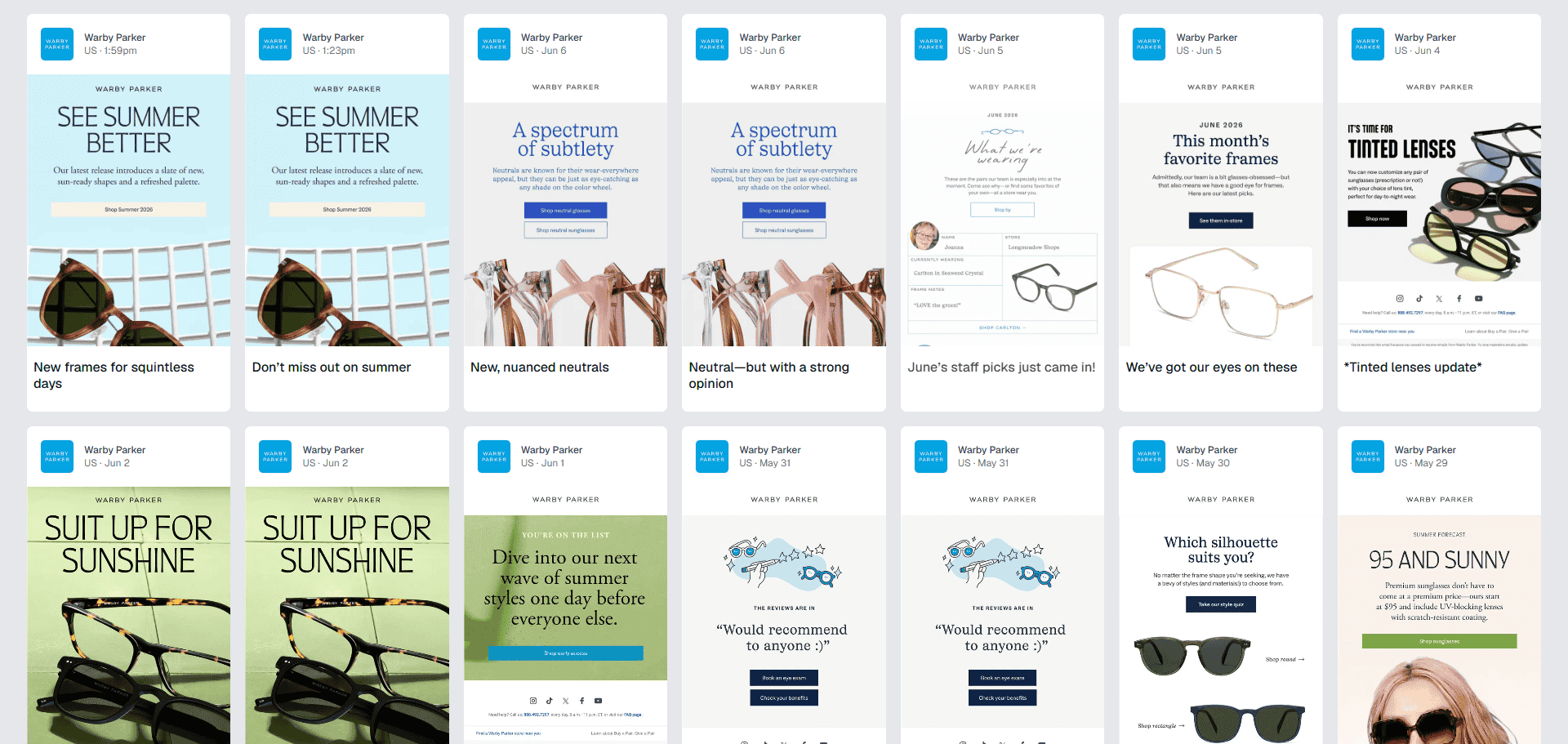
A full-featured search engine for email newsletters and promotional campaigns. Milled indexes emails from thousands of brands, making it searchable by brand, subject line, date, and content type. Ideal for competitive research — search any brand and see their complete campaign history.

Really Good Emails
With over 19,000 curated emails and counting, Really Good Emails is the editorial gold standard for email design inspiration. Every email is hand-picked and categorized (abandoned cart, welcome, referral, etc.). Great for finding design patterns by use case.

Email Love
A beautifully designed gallery with strong filtering by category, industry, and color palette. Particularly useful for brand-consistent design research — you can find examples matching your brand's color scheme.

Moosend's Email Gallery
A growing repository with usable templates and inspiration organized by industry and campaign goal. Strong focus on e-commerce and SaaS sectors.

Inbox Archive
A free archive of real brand campaigns stored as live HTML rather than screenshots, filed by brand and campaign type (promotions, welcome, abandoned cart and more). You can also see the sending platform, tracking pixels and promo codes behind each send. No account is needed to browse. Ideal when you want to study how an email is actually built, not just how it looks.
5. Deep Dive: Milled — The Email Search Engine
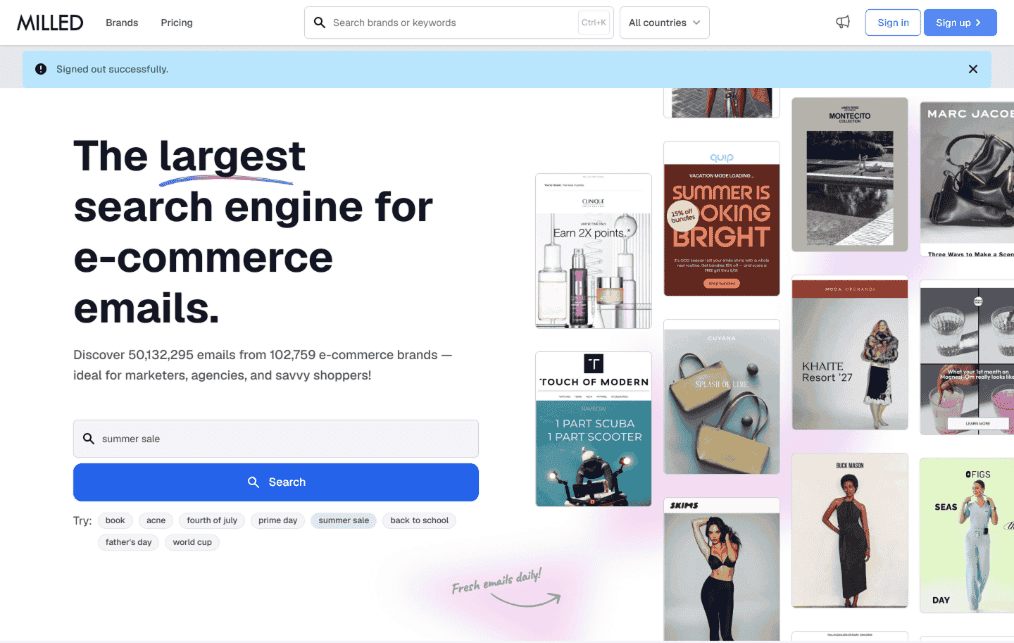
Milled is positioned as a search engine for email newsletters — and that framing is intentional. Unlike curation-first platforms, Milled is built around discoverability and research. It indexes emails from thousands of brands and exposes them through a robust search interface.
What Makes Milled Unique
Milled's most powerful feature is its brand history view. You can navigate to any retail or media brand — say, Nike, Sephora, or The New York Times — and see every email they've sent over months or years, chronologically. This unlocks a form of email intelligence that's hard to replicate any other way:
You can see how brands evolve their visual identity across seasons.
You can observe their promotional cadence — how often they send, how heavily they discount, when they send re-engagement campaigns.
You can reverse-engineer what subject lines they A/B test by looking at small variations across send dates.
You can identify seasonal patterns: what their Black Friday sequence looked like, how they introduced a new product line, or how their transactional emails compare to their promotional ones.
For Pro users, Milled also offers a subject line search operator — letting you filter emails specifically by subject line content. For example, subject:"last chance" will surface emails from any brand that used "last chance" in their subject line, giving you a benchmark for urgency-driven copy. You can also save searches, download full-length screenshots for mood boards and client presentations, and track your browsing history across sessions.
How to Use Milled for Competitive Intelligence
Identify 5–10 brands in your industry
Start with direct competitors and aspirational brands. If you sell furniture, look at Wayfair, West Elm, and IKEA. If you're SaaS, look at Notion, Loom, or Linear.
Study their full campaign timeline
Look at 3–6 months of emails. Note when they send (day, time), how often, and the ratio of promotional vs. transactional vs. editorial content.
Screenshot and annotate key examples
Download full-length screenshots. Add notes on what's working: layout choice, CTA placement, image use, subject line structure.
Search by subject line keywords
Use Milled's subject: operator to find how top brands word urgency, value propositions, and personalization in their subject lines.
Build a swipe file
Organize your examples by category (welcome, promotional, abandoned cart) and use them as references when briefing designers or building in Pagenflow.
6. Deep Dive: Really Good Emails — The Curated Standard
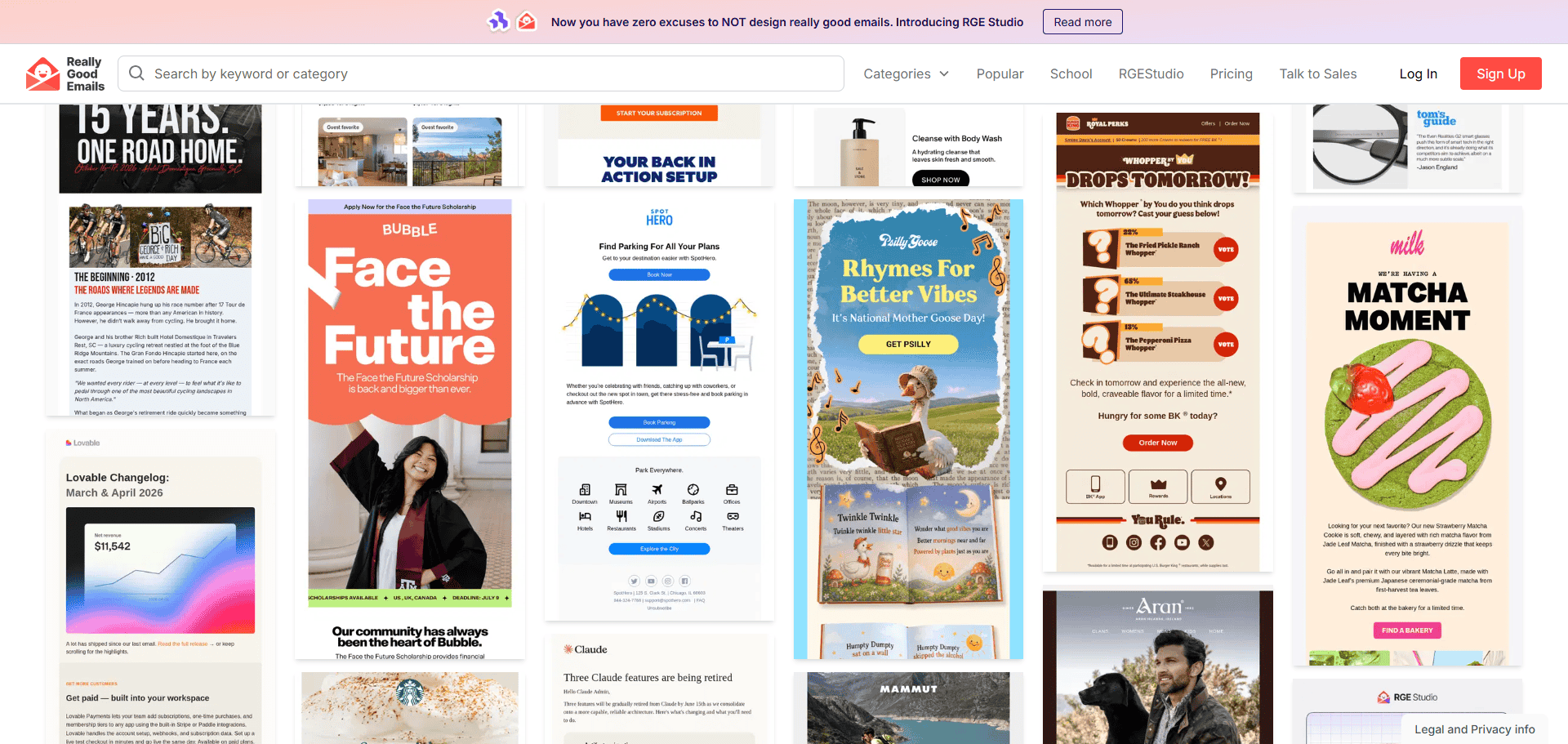
Really Good Emails takes the opposite approach to Milled. Rather than indexing everything, it curates. With over 19,000 hand-picked emails and a community of millions of marketers, Really Good Emails has become the de facto quality bar for the email design industry.
Every email in the database was approved by a human editor. That gatekeeping is intentional: it means every example you see is worth studying. There's no noise, no spam, no mediocre filler — just emails that earned their place by doing something remarkable in design, copy, or both.
How Really Good Emails Is Organized
The platform organizes emails into a rich taxonomy of behavioral, enhancement, promotional, and seasonal categories. This is where Really Good Emails excels over Milled for learning purposes — the category structure maps directly to your email marketing strategy:
| Category | Subcategories Include | Best Used For |
|---|---|---|
| Behavioral | Abandoned cart, follow-up, engagement, loyalty | Automation flows & trigger-based emails |
| Inaugural | Welcome, onboarding, account activation | New subscriber & user journeys |
| Promotional | Sales, product launch, flash deals | Revenue-driving campaigns |
| Enhancement | Referral, review requests, upsell | Post-purchase & lifecycle growth |
| Seasonal | Holiday, back-to-school, seasonal sale | Calendar-driven campaign planning |
| Miscellaneous | Newsletters, curated content, digests | Brand voice & editorial strategy |
The RGE School & Feedback Friday
Beyond the gallery itself, Really Good Emails runs a learning program called RGE School, featuring written articles, how-to guides, and their beloved "Feedback Friday" video series — a weekly breakdown of what makes the best emails actually good. These resources are a masterclass in email critique: watching experienced designers and marketers dissect an email teaches you to look at your own work with sharper eyes.
The New RGE Studio
Really Good Emails recently launched RGE Studio, described as removing any excuse not to design really good emails. This signals the platform's evolution from pure inspiration into active creation — a direction that aligns with the broader industry shift toward tools that bridge the gap between learning and doing.
7. Pagenflow — Where Inspiration Becomes Your Email
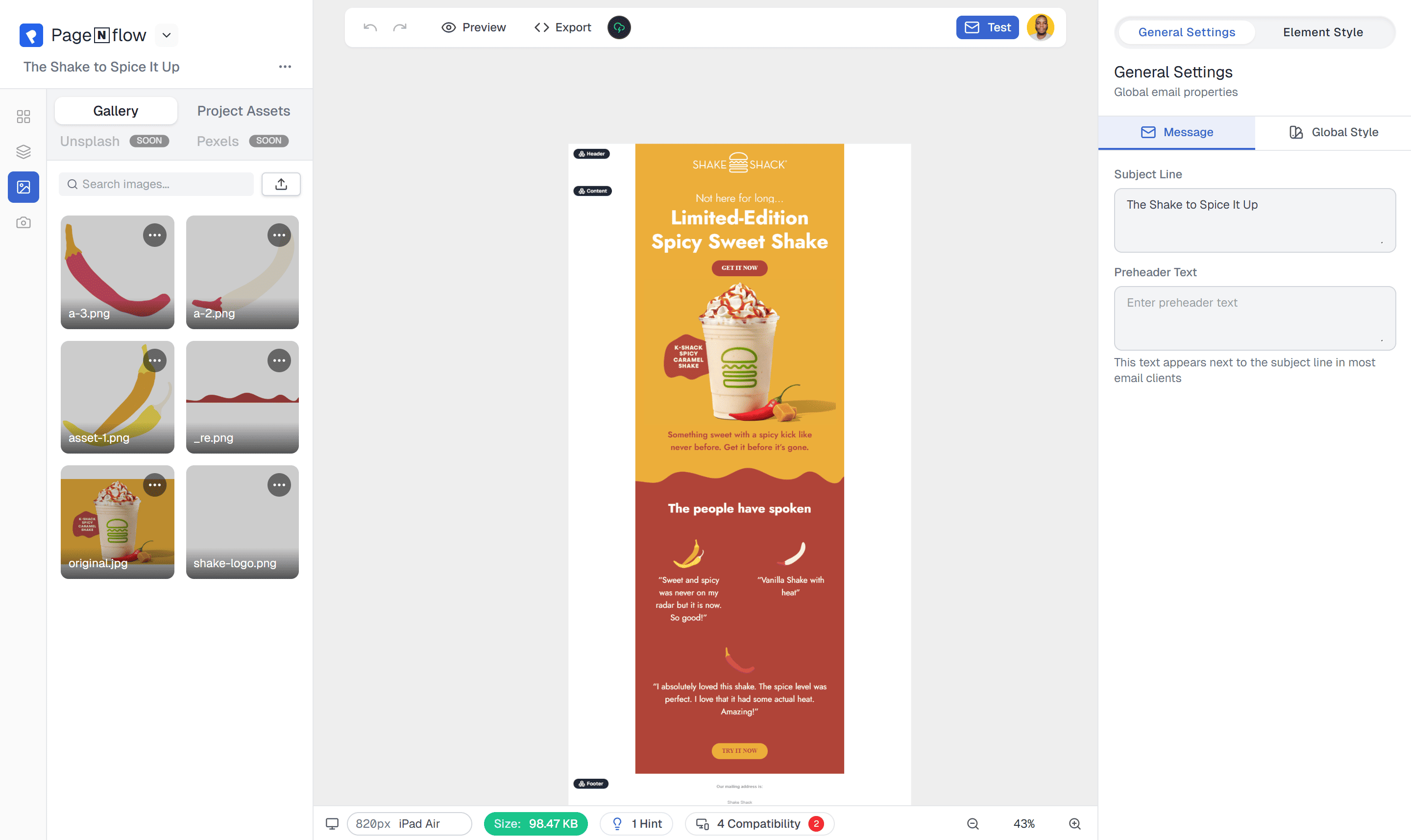
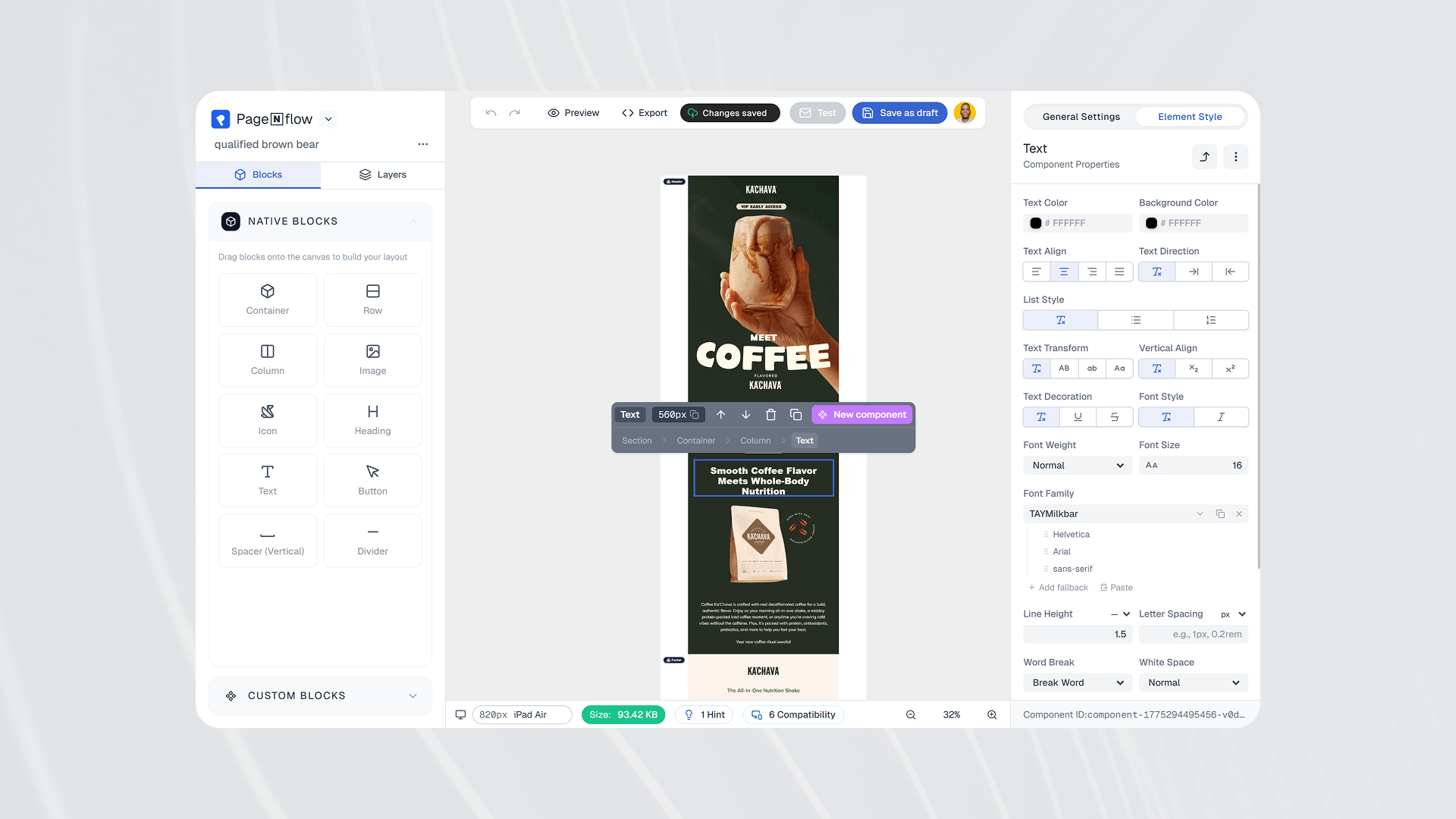
Studying inspiration is the research phase. Pagenflow is the production phase. As a visual, drag-and-drop email builder that exports clean, production-ready HTML, Pagenflow bridges the gap between the emails you admire in databases and the emails you actually send.
The workflow is seamless:
Study the database
Find the layout, copy structure, and design patterns that resonate with your brand and campaign goal on Milled or Really Good Emails.
Start from a Pagenflow template
Pick a tested, responsive template that matches your campaign type. The component library includes headers, hero sections, product blocks, CTAs, footers, and more.
Customize with your brand's DNA
Apply your brand colors, fonts, and tone. Adjust the layout using drag-and-drop — no HTML knowledge required.
Export clean HTML or React.email
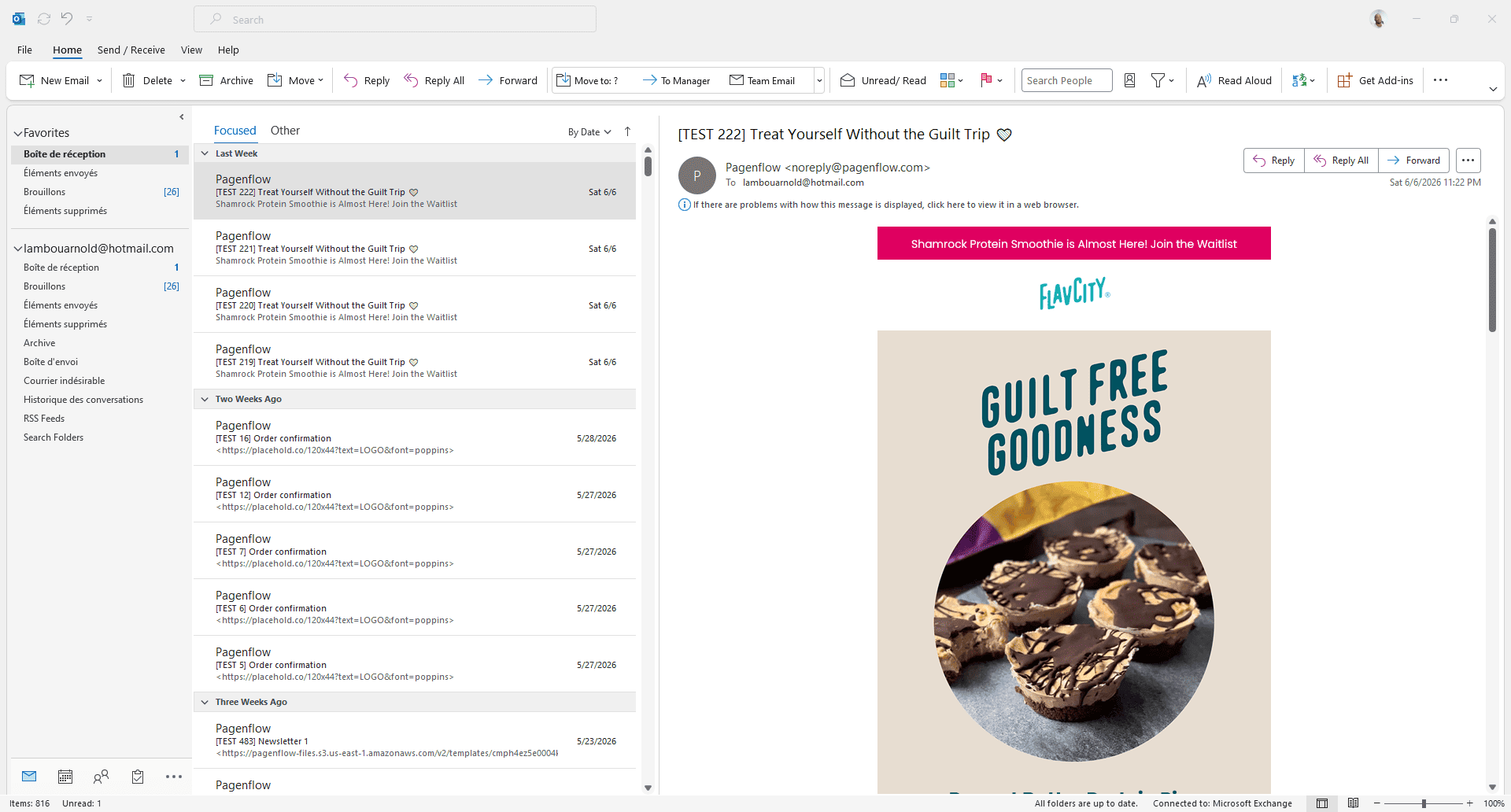
Pagenflow exports code compatible with every major email platform — whether you use Mailchimp, Klaviyo, Brevo, or custom infrastructure.
This research-to-build loop is how professional email teams operate at scale. Inspiration without execution is just admiration. Execution without inspiration is just guesswork. Pagenflow is designed for teams that want both.
8. A 6-Step Framework for Using Email Inspiration
Looking at examples and actually learning from them are two different activities. Here's a structured framework for turning an inspiration database session into actionable improvements for your email program:
Step 1: Define Your Campaign Goal First
Before you open Milled or Really Good Emails, be crystal clear about what you're building and why. Are you trying to recover abandoned carts? Welcome new subscribers? Announce a product? The goal determines which category of examples is relevant — and prevents the common trap of getting distracted by beautiful emails that have nothing to do with your use case.
Step 2: Collect 10–15 Examples in Your Category
Search specifically by category. On Really Good Emails, navigate to the exact subcategory (e.g., "Abandoned Cart" under Behavioral). On Milled, search by a competitor and filter for the campaign type you need. Collect a minimum of 10 examples — enough to see genuine patterns emerge, rather than fixating on one exceptional outlier.
Step 3: Identify Patterns, Not Just Preferences
This is where analytical discipline matters. As you browse, resist the impulse to simply save what looks pretty. Instead, ask: what do most of these examples have in common? Look for structural patterns — where is the main image placed? How many CTAs appear? What's the average word count? What tone does the copy take (urgent, playful, authoritative)? Patterns reveal consensus; outliers reveal opportunities.
Step 4: Annotate Your Swipe File
Save your examples with written notes, not just screenshots. Note why something works — "the preheader and subject line work together to build curiosity before the email opens" is more useful than a screenshot with no context. Build a living document your entire team can reference. Over time, this swipe file becomes an institutional asset.
Step 5: Extract and Adapt — Never Copy
Inspiration is the extraction of principles, not the reproduction of executions. A layout borrowed from a luxury fashion brand can inform a SaaS welcome email — but the visual language, copy tone, and brand identity should be entirely your own. The principle you're borrowing might be: "a single powerful image, minimal text, one CTA." The execution should be entirely yours.
Step 6: Test, Measure, Iterate
Apply your inspiration-informed design and measure it against your previous benchmarks. Your open rate, click-to-open rate (CTOR), and conversion rate will tell you whether the patterns you extracted actually translate to your audience. Email is one of the few marketing channels where you can get fast, statistically significant feedback — use it to refine your understanding over time.

9. The 8 Email Elements Worth Analyzing in Every Example
When you study an email from a database, don't just absorb it aesthetically. Dissect it systematically. Here are the eight elements that drive performance — and what to look for in each:
1. Subject Line + Preheader
The only elements that matter before the email is opened. Look at how top brands pair these two. Is the preheader an extension of the subject line, or does it introduce a second hook? Does the subject use personalization, urgency, curiosity, or a question? How long is it — and on which devices might it truncate?
2. Hero Section
The first thing the reader sees when the email opens. Does it use a full-width image, a headline over color, or a product-forward layout? Strong hero sections establish the email's emotional tone within 200 milliseconds. Study whether the copy and visual are integrated or competing.
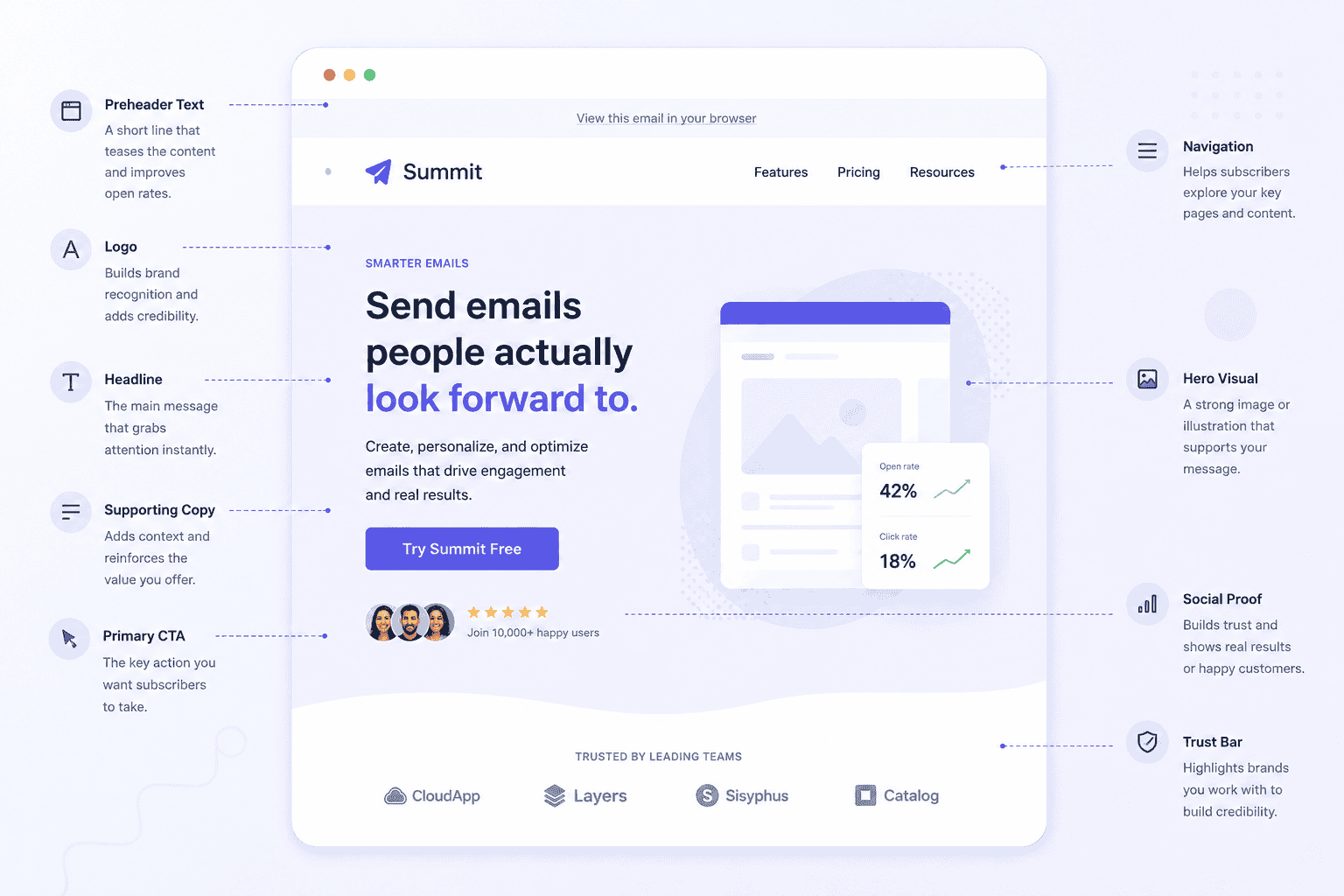
3. Layout Structure
Single column, two columns, or multi-section editorial? Each has trade-offs. Single column reads beautifully on mobile and focuses the reader on one message. Multi-column works for digests and product catalogs but can fragment attention. Study which layout top brands use for which email type — rarely is the choice arbitrary.
4. Typography Hierarchy
How many type sizes appear? Is there a clear visual hierarchy from headline → subhead → body → caption? Great email typography guides the eye through the email even if the reader only skims. Poor typography looks like a wall of undifferentiated text that readers abandon immediately.
5. Color Usage
Is the email primarily light or dark? How many colors appear, and what purpose does each serve? Strong emails typically use 2–3 colors maximum, with one accent for CTAs and highlights. Notice when brands deviate from this — seasonal emails often introduce new palettes as part of the campaign identity.
6. CTA Design & Placement
How many CTAs appear? Where are they placed — above the fold, after body copy, or at multiple points? What does the button copy say — generic ("Learn More") or specific ("Get My 20% Off")? Studies consistently show that first-person CTA copy outperforms generic verbs. Does the CTA color contrast strongly enough with the surrounding design?
7. Mobile Optimization
Over 61% of emails are now opened on mobile devices. Look at how top brands structure their emails for small screens: single-column layouts, large touch targets for CTA buttons, short sentences, and images that scale proportionally. Emails that aren't mobile-first lose a majority of their audience before they're even read.
8. Copy Tone & Length
Is the copy long-form and narrative, or short and punchy? Formal or conversational? Does it address the reader as "you" consistently? Great email copy has a clear voice — you can almost hear a person speaking. Analyze what tone the brand uses and whether it's consistent with what you'd expect from their broader marketing.
10. Which Email Types to Study By Goal
Your campaign goal should dictate where you start in the database. Here's a practical lookup guide:
| Your Goal | Email Type to Study | Where to Find It |
|---|---|---|
| Convert new subscribers | Welcome series, onboarding | RGE → Inaugural → Welcome |
| Recover lost revenue | Abandoned cart | RGE → Behavioral → Abandoned Cart |
| Drive a sale or promotion | Flash sale, seasonal promo | Milled → brand search + date filter |
| Re-engage inactive subscribers | Re-engagement / win-back | RGE → Behavioral → Retention |
| Announce a product | Product launch | Milled → competitor launches |
| Build loyalty and LTV | Loyalty / rewards emails | RGE → Behavioral → Loyalty |
| Collect reviews or feedback | Post-purchase, survey | RGE → Behavioral → Feedback |
| Grow your list via referrals | Referral program emails | RGE → Enhancement → Referral |
| Build brand authority | Newsletter / digest | RGE → Miscellaneous → Newsletter |
| Learn how a real email is built | Any campaign, as live HTML | Inbox Archive → Categories or Brands |
11. Common Mistakes When Drawing From Inspiration
Done wrong, inspiration becomes imitation — and imitation in email marketing is both ethically problematic and strategically ineffective. Here are the most common pitfalls to avoid:
Mistake 1: Copying Design Instead of Extracting Principles
There's a meaningful difference between "this email uses a minimal layout with one strong image and a single CTA — I should try that structure" and "this email uses a navy blue background with white text — I'll use navy and white." The first extracts a principle; the second copies an execution. Copying execution robs you of brand differentiation and may infringe on intellectual property.
Mistake 2: Studying Only Competitors
Competitive research is essential, but if you only study competitors, you'll perpetually be reactive rather than innovative. Some of the most powerful email inspiration comes from adjacent industries: a SaaS company studying luxury retail emails, a nonprofit studying fintech onboarding sequences. Cross-industry borrowing is where the freshest ideas come from.
Mistake 3: Optimizing for Aesthetics Over Function
Beautiful emails that don't convert are expensive hobbies, not marketing assets. Always anchor your aesthetic inspiration to functional outcomes. A gorgeous email with a buried CTA is worse than a plain email with a clear one. Inspiration databases show you what things look like — your metrics show you what things do.
Mistake 4: Ignoring Mobile in Inspiration Research
Many email databases display desktop previews by default. But since the majority of your audience will open your email on a mobile device, make a point of viewing mobile previews for every example you study. An email that looks great at 600px width can be completely unusable at 375px. Really Good Emails typically offers responsive previews — use them.
Mistake 5: One-Time Research Instead of Ongoing Practice
Studying email databases should be a regular practice — not a one-time pre-campaign ritual. The email design landscape evolves quickly: new layout conventions emerge, copy styles shift, and what was innovative two years ago can feel dated today. Schedule monthly sessions to review recent additions to your database of choice, and keep your swipe file current.
Mistake 6: Not Factoring in Your Audience's Context
A pattern that works brilliantly for a D2C fashion brand may be completely inappropriate for a B2B SaaS tool targeting enterprise buyers. Always filter inspiration through the lens of your specific audience — their reading context, expectations, and emotional relationship with your category. Inspiration is a starting point, not a finish line.
12. Conclusion: Study More, Start Better
The blank canvas isn't an invitation — it's a trap. The most effective email marketers in the world didn't get there by guessing. They got there by studying obsessively, extracting patterns ruthlessly, and iterating with precision. Email marketing databases like Milled and Really Good Emails exist because this kind of research is so valuable that entire companies built their businesses around enabling it.
The process is straightforward — though discipline is required to do it consistently:
Define your campaign goal before you open any database.
Collect examples systematically, not randomly.
Extract principles (layout, hierarchy, copy tone, CTA design) rather than copying executions.
Build a living swipe file your team can actually use.
Translate your research into real emails with a builder that handles the technical complexity — like Pagenflow.
Measure, learn, and return to the database with sharper questions next time.
Email marketing delivers an average of $45 for every $1 spent at the high end of performance. That ROI doesn't come from blind effort — it comes from informed design, tested copy, and campaigns built on real understanding of what the inbox competition looks like. An email marketing database gives you that understanding. What you do with it determines whether your campaigns sit in the average range or climb toward the top.
You don't need to be the first to be the best. You need to understand what's been done, then go further.
Related Reading
Turning inspiration into a real email
- How to Create a Mail Using HTML — the markup and structure behind the layouts you'll be studying
- What Is an HTML Email Editor? — for building without hand-coding every template
- The Complete Guide to Email-Safe Fonts — make sure the typography you're inspired by actually renders
Strategy
- The Complete Guide to Email Marketing
- Why Image-Heavy Emails Hurt Deliverability — a critical counterpoint before you get too inspired by visually-driven examples
PagenflowMay 14, 2026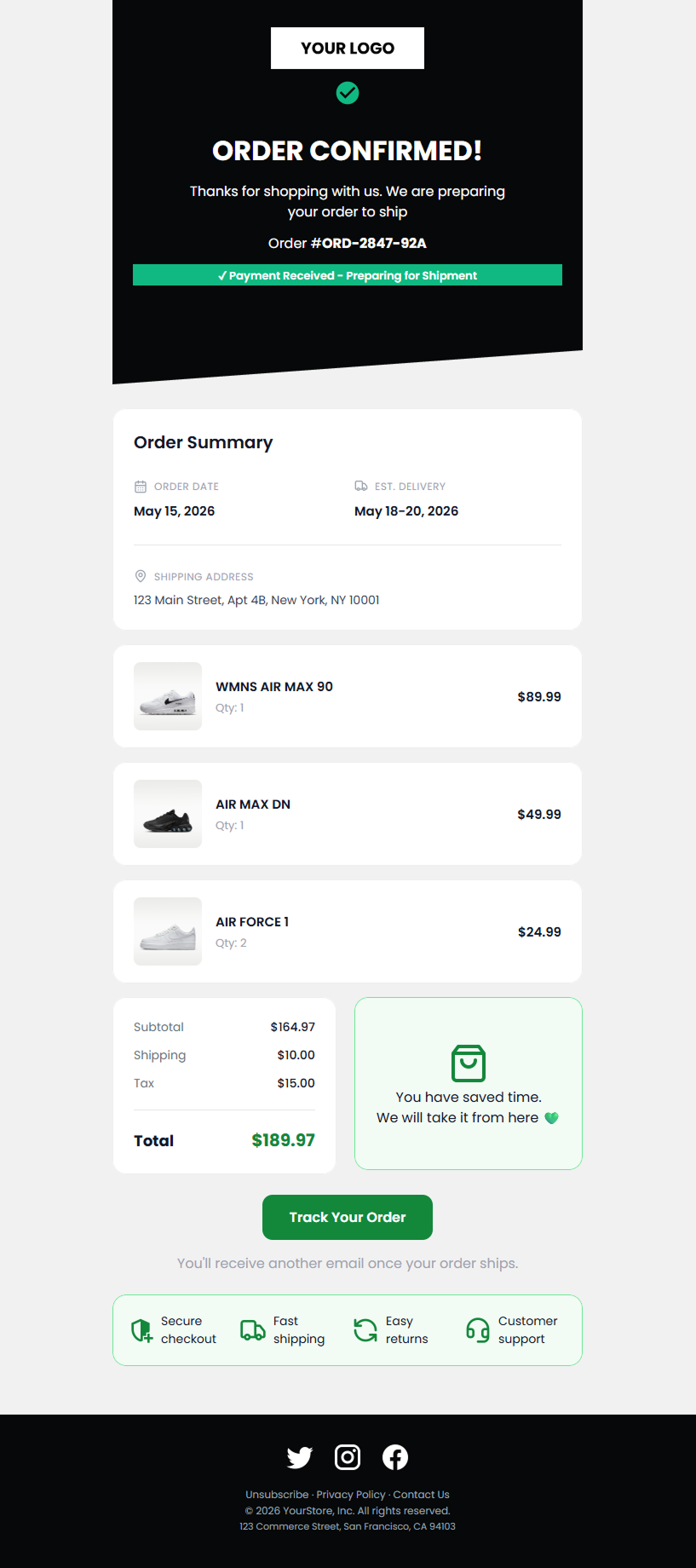 PagenflowMay 2, 2026Mastering Shopify Email Design: The 2026 Professional Customization GuideMove beyond basic layouts. Learn how to use custom Liquid, advanced CSS for dark mode, and React-email standards to create Shopify templates that truly represent your brand.PagenflowApril 19, 2026
 PagenflowApril 19, 2026
 PagenflowApril 19, 2026
Ready to build your next email template?
Drag, drop, done. Build pixel-perfect, responsive emails in minutes — no HTML wrestling required.
No credit card required
Tested across Gmail, Outlook, Apple Mail & more.