

How to Create a Mail Using HTML: A Complete Guide
Creating HTML emails might seem daunting at first, but with the right approach and understanding of basic principles, you can create beautiful, responsive emails that work across different email clients. This guide will walk you through the process step by step.

Understanding HTML Email Basics
Before diving into the code, it's important to understand that HTML emails are different from regular web pages. Email clients have limited CSS support and strict security measures, which means: (If you'd rather skip the hand-coding entirely, see what this same email looks like rendered further down this section — you can open it in the free builder with one click.)
- Inline CSS is preferred over external stylesheets
- Not all CSS properties are supported
- Tables are still the primary layout method
- External resources might be blocked
- JavaScript is not supported
Essential HTML Email Structure
Here's the basic structure every HTML email should have:
<!DOCTYPE html>
<html lang="en">
   <head>
      <meta charset="UTF-8">
      <meta name="viewport" content="width=device-width, initial-scale=1.0">
      <title>Your Email Title</title>
   </head>
   <body style="margin: 0; padding: 0; background-color: #f6f6f6;">
      <table role="presentation" width="100%" cellspacing="0" cellpadding="0" border="0">
         <tr>
            <td align="center" style="padding: 20px 0;">
               <!-- Email content goes here -->
            </td>
         </tr>
      </table>
   </body>
</html>
Step-by-Step Tutorial
1. Creating a Basic HTML Email
Let's create a simple yet professional-looking email:
<!DOCTYPE html>
<html lang="en">
   <head>
      <meta charset="UTF-8">
      <meta name="viewport" content="width=device-width, initial-scale=1.0">
      <title>Welcome Email</title>
   </head>
   <body style="margin: 0; padding: 0; background-color: #f6f6f6; font-family: Arial, sans-serif;">
      <table role="presentation" width="100%" cellspacing="0" cellpadding="0" border="0">
         <tr>
            <td align="center" style="padding: 20px 0;">
               <!-- Main Email Container -->
               <table role="presentation" style="width: 600px; background-color: #ffffff; border-radius: 8px; box-shadow: 0 2px 4px rgba(0,0,0,0.1);">
                  <!-- Header -->
                  <tr>
                     <td style="padding: 40px 30px; text-align: center; background-color: #007bff; border-radius: 8px 8px 0 0;">
                        <h1 style="color: #ffffff; margin: 0;">Welcome to Our Newsletter</h1>
                     </td>
                  </tr>
                  <!-- Content -->
                  <tr>
                     <td style="padding: 30px;">
                        <p style="margin: 0 0 20px; line-height: 1.5; color: #333333;"> Dear Subscriber, </p>
                        <p style="margin: 0 0 20px; line-height: 1.5; color: #333333;"> Thank you for joining our newsletter! We're excited to share our latest updates and news with you. </p>
                        <!-- Call to Action Button -->
                        <table role="presentation" style="margin: 30px 0;">
                           <tr>
                              <td> <a href="#" style="background-color: #007bff; color: #ffffff; padding: 12px 30px; text-decoration: none; border-radius: 4px; display: inline-block;">Get Started</a> </td>
                           </tr>
                        </table>
                     </td>
                  </tr>
                  <!-- Footer -->
                  <tr>
                     <td style="padding: 30px; background-color: #f8f9fa; border-radius: 0 0 8px 8px; text-align: center;">
                        <p style="margin: 0; color: #666666; font-size: 14px;"> © 2024 Your Company Name. All rights reserved. </p>
                     </td>
                  </tr>
               </table>
            </td>
         </tr>
      </table>
   </body>
</html>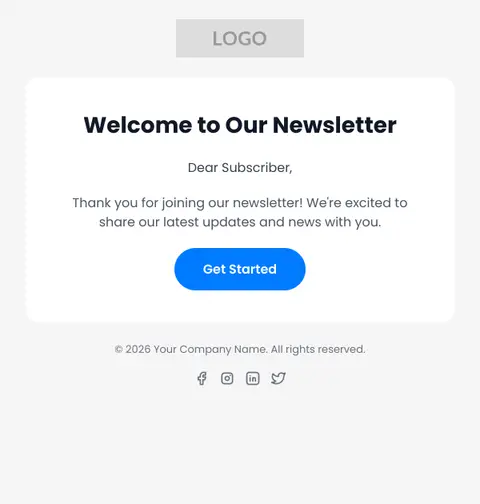
This is what that code renders
Same welcome email, built and tested in Pagenflow. Open it in the free builder to customize colors, copy, and layout.
2. Adding Images
When adding images to your email, always include these key attributes:
<img src="https://yourdomain.com/image.jpg" alt="Description of image" width="600" height="auto" style="display: block; width: 100%; max-width: 600px; height: auto;" />3. Making it Responsive
Add these meta tags in your head section for better mobile responsiveness:
<meta name="viewport" content="width=device-width, initial-scale=1.0"> <meta http-equiv="X-UA-Compatible" content="IE=edge">Best Practices
Use Tables for Layout
- Nest tables for complex layouts
- Always include role="presentation"
- Use cellpadding and cellspacing
CSS Considerations
- Use inline styles
- Avoid CSS shorthand properties
- Use web-safe fonts or include fallbacks — see our guide to email-safe fonts for a full list
Images
- Always include alt text
- Host images on a reliable CDN
- Specify image dimensions
Content
- Keep width under 600px
- Include a plain text version
- Use web-safe colors
Testing Your HTML Email
Before sending your HTML email:
Test in multiple email clients:
- Gmail
- Outlook
- Apple Mail
- Yahoo Mail
Test on different devices:
- Desktop
- Mobile phones
- Tablets
Check for:
- Broken layouts
- Missing images
- Spam trigger words
- Broken links
Troubleshooting Common Issues
Images Not Displaying
- Ensure images are hosted properly
- Include proper alt text
- Check file paths
Layout Breaking
- Verify table structure
- Check for unclosed tags
- Validate HTML
Font Issues
- Use web-safe fonts
- Include font fallbacks
- Use proper font declarations
Tools and Resources
Email Testing Services
HTML Email Templates
Conclusion
Creating HTML emails requires attention to detail and understanding of email client limitations. Start with simple designs and gradually add complexity as you become more comfortable with the process. Always test thoroughly before sending to ensure your emails look great for all recipients.
Remember that email clients are constantly evolving, so stay updated with the latest best practices and test your emails regularly. With practice and patience, you'll be creating beautiful, responsive HTML emails that work across all platforms.
Related Reading
- What Is an HTML Email Editor? — for when hand-coding every email isn't worth the time
- The Complete Guide to Email-Safe Fonts — the full font-stack reference mentioned above
- The Complete Guide to Email Marketing — see where HTML fits into the bigger campaign picture
PagenflowMay 14, 2026 PagenflowMay 2, 2026Mastering Shopify Email Design: The 2026 Professional Customization GuideMove beyond basic layouts. Learn how to use custom Liquid, advanced CSS for dark mode, and React-email standards to create Shopify templates that truly represent your brand.PagenflowJune 6, 2026
 PagenflowApril 19, 2026
 PagenflowApril 19, 2026
Ready to build your next email template?
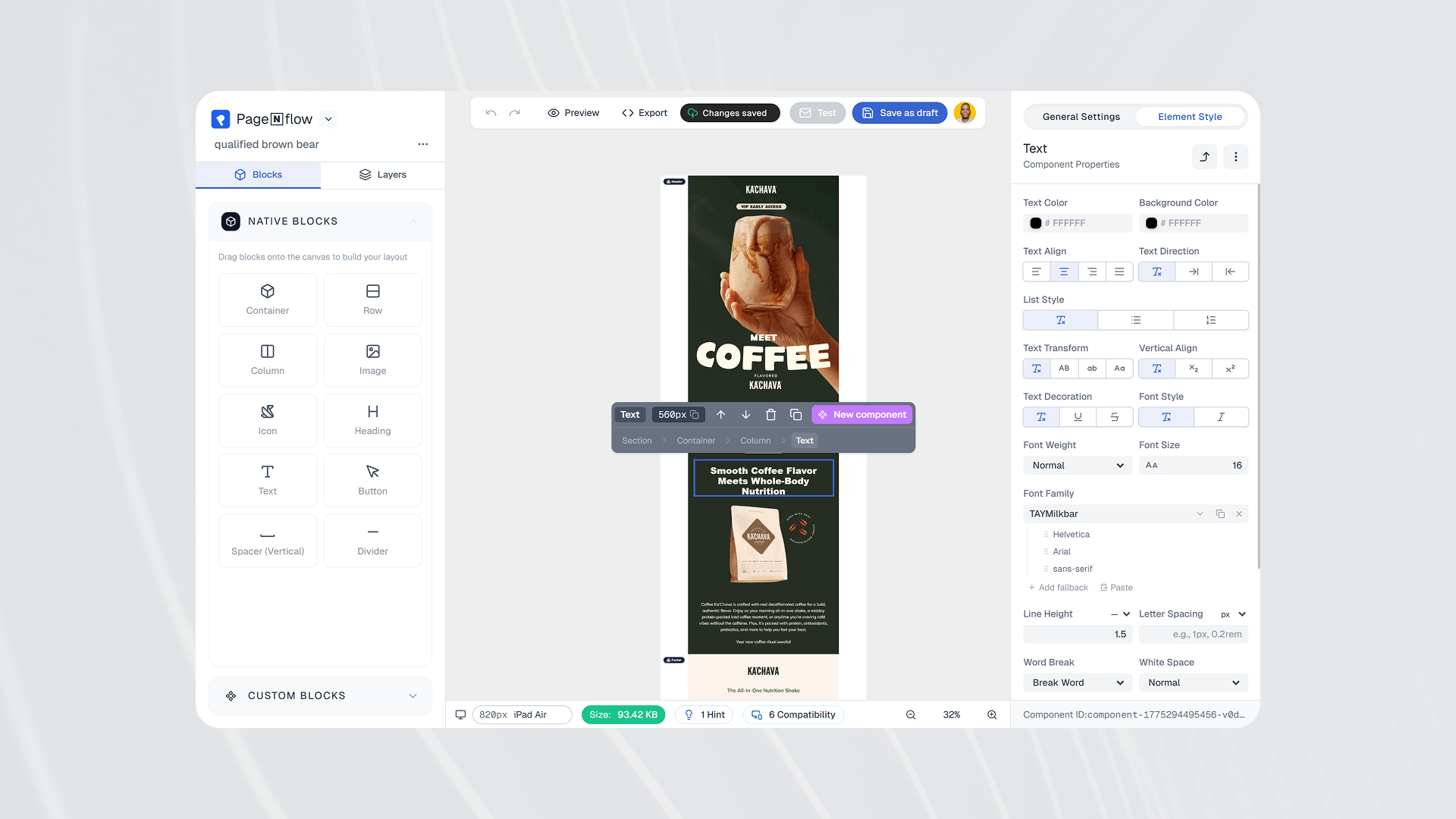
Drag, drop, done. Build pixel-perfect, responsive emails in minutes — no HTML wrestling required.
No credit card required
Tested across Gmail, Outlook, Apple Mail & more.